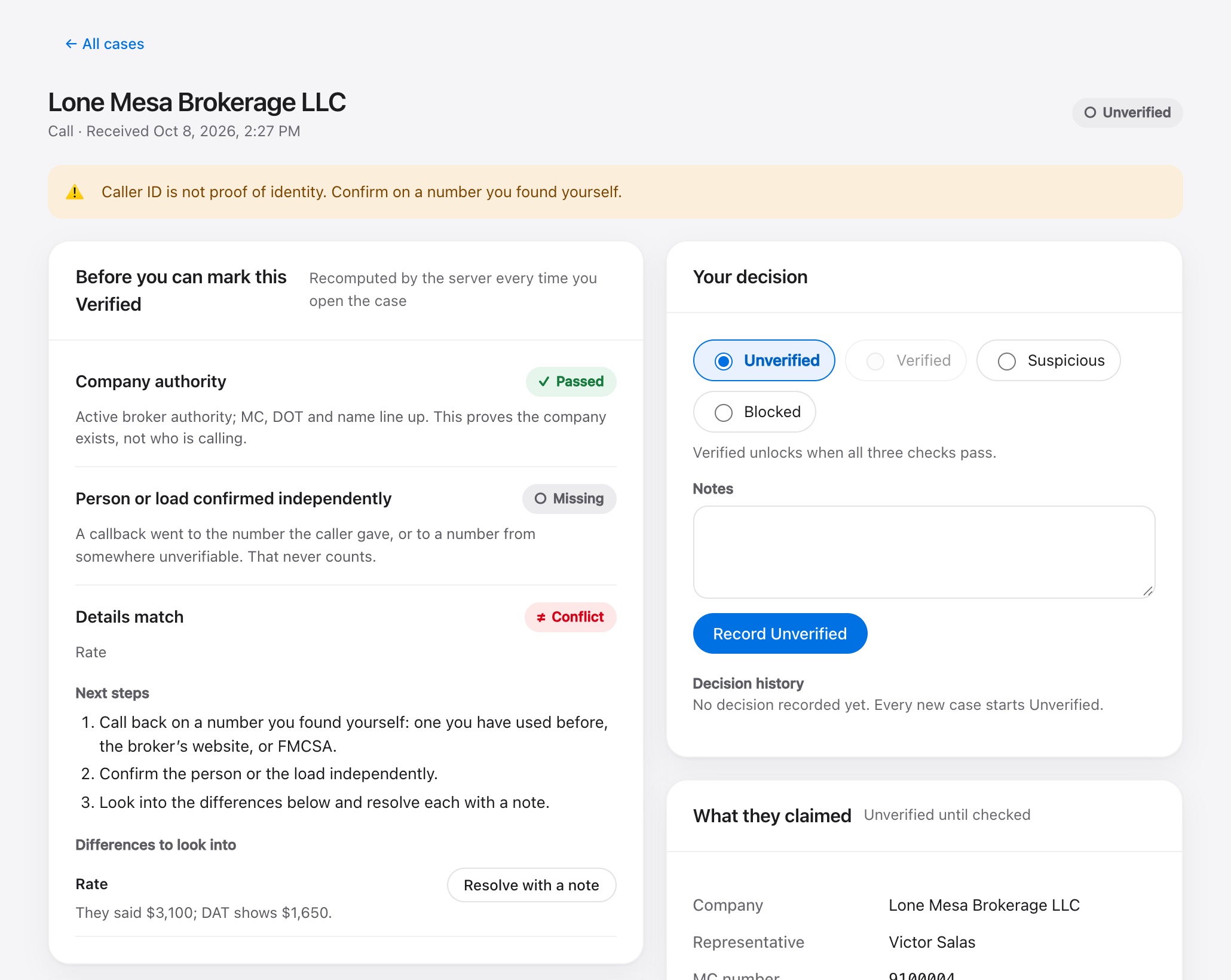
- ✓Company authorityActive broker authority. The MC, DOT and name match.FMCSA · checked 9:04 AM
- ○Independent callbackYou called the number they gave. That never counts.Call the number FMCSA or their website lists
- ≠Details matchThey quoted $3,100. DAT shows $1,650 for this load.DAT · checked 9:07 AM
For owner-operators and small fleets
Check the broker before you take the load.
Scammers copy real brokers’ names and MC numbers. Kantor gives every new broker the same three checks, keeps Verified locked until they pass, and saves a record of what you saw.
Kantor never books a load or moves money. You make the call.
- ✓Company authorityActive broker authority. The MC, DOT and name match.FMCSA · checked 10:15 AM
- ✓Independent callbackDana confirmed the load at the number on Harborline’s website.Callback · page linked · 10:19 AM
- ✓Details matchRate, MC and lane match what DAT shows.DAT · checked 10:21 AM
- ✕Company authorityAuthority not active.FMCSA · checked 1:42 PM
- ○Independent callbackThe only number offered was the one in the text.
- ≠Details matchDAT shows no listing like this.DAT · checked 1:45 PM
How it works
Three steps, before you book.
- 1. Log it
While you’re still on the call, type the company, MC number, rate and the number they gave. Keyboard only.
- 2. Check it
Look them up on FMCSA, then call back on a number you didn’t get from them. Kantor records where every number came from.
- 3. Decide
Verified unlocks only when all three checks pass. Whatever you choose, Kantor saves exactly what you saw.
What it checks
Verified stays locked until all three pass.
-
01
Their authority is active
FMCSA shows active broker authority, and the MC number, DOT number and company name match what they gave you.
-
02
You reached them yourself
Someone at the brokerage confirmed the load on a number from FMCSA, from the broker’s own website, or from a broker you’ve already verified. The number the caller gave never counts.
-
03
The details match
The rate, MC number, lane and load number they gave match what DAT and the broker’s portal show. A difference stays open until you explain it in a note.
The lock is enforced by Kantor’s servers, not just a grayed-out button.
The case screen
Everything about one broker, on one screen.
- Every check shows its source. FMCSA, DAT, a callback or a broker portal, with the time and who recorded it.
- Old checks expire. A check older than a day has to be redone. If FMCSA is down, Kantor says so and never counts it as a pass or a fail.
- Your decision is saved with its evidence. Kantor keeps a copy of exactly what you saw, with a fingerprint that shows if anything changes later. Files are virus-scanned and can’t be edited.
- One list of what’s open. The review queue shows every broker that still needs a decision.
Coming later
More of the office work, in the same place.
We’re building broker checks first, with a pilot carrier. Next: calls, texts and emails that open a case by themselves, and reading rate cons for you. After that, a dispatch board, driver texts, paperwork, invoicing and fuel-card tracking.
Questions
What operators ask first
Does Kantor book loads for me?
No. Kantor helps you check the broker. You decide, and you book the load yourself.
Do I have to give up Motive or QuickBooks?
No. Keep using them. We plan to connect to them later.
The MC number checks out. Isn't that enough?
No. Scammers often use a real broker's MC number with their own phone and email. That's why you call back on a number you found yourself.
What if FMCSA is down?
Kantor marks the check as unavailable. That never counts as a pass or a fail. You can look the broker up on SAFER yourself and record what you saw.
Who can see my data?
Only the people you add to your account. Other companies on Kantor can't see it.
See it on one of your own loads.
We'll walk you through Kantor and run a broker check together.